How to Start Using AI Agents for Business?
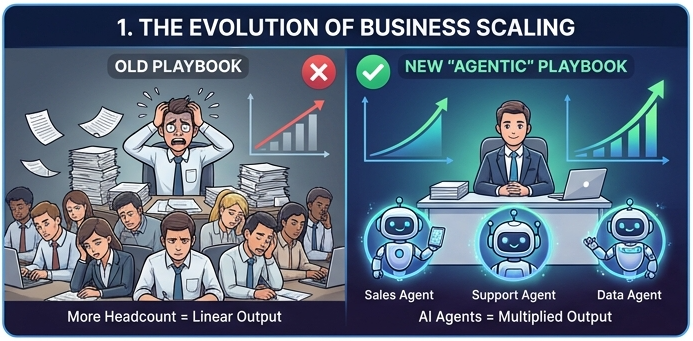
The rules of building and scaling a company have fundamentally changed. A few years ago, growing a business meant hiring fast, increasing overhead, and hoping your team could outpace the competition. Today, the most efficient startups and established enterprises are adopting a new playbook: they are becoming agentic.
Whether you are launching a brand-new startup built entirely on AI or looking to automate and replace tedious processes in your existing business, AI agents are the key to multiplying your output without multiplying your headcount.
In this guide, we will explain exactly how to start using Younet to build your AI workforce, step by step.
What Does It Mean to Be "Agentic"?
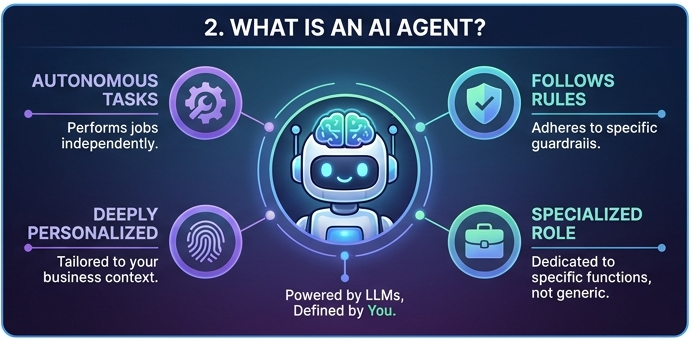
Being an "agentic" business means treating AI agents as core team members rather than just software tools. Instead of relying on one generic chatbot to do everything, you deploy specialized AI agents for specific jobs.
AI agents are designed to perform tasks autonomously, follow your specific rules, and can be deeply personalized to your business. (Note: AI models are the underlying Large Language Models, or LLMs, used in Younet to power and work with these AI agents).
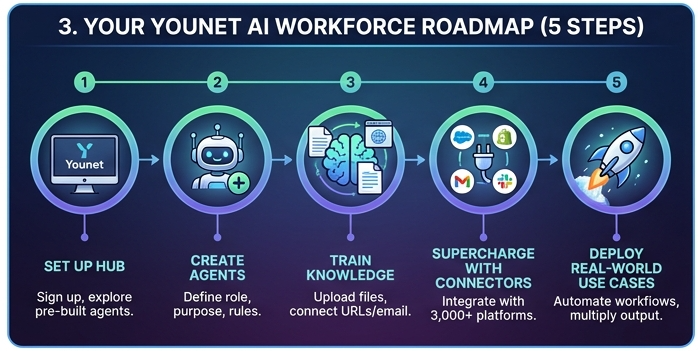
1: Set Up Your AI Agents Hub
Getting started is incredibly simple and requires absolutely no coding skills.
- Create an Account: Head over to www.younet.ai and sign up.
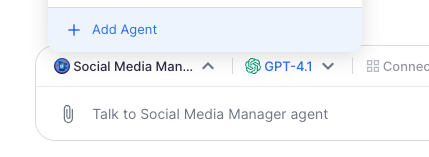
- Navigate to Your Agents: Once logged in, look at the top menu of the chat input field and click on the "Agent" section, then select an agent or click "+ Add agent".

- Explore Pre-Built Agents: Younet offers a library of ready-to-use AI agents optimized with best-practice instructions for common roles. You can start using these immediately by clicking "+ Add agent"!
2: Create Your Custom AI Workforce
If you want an agent tailored specifically to your unique business processes, you can easily build one from scratch.
- In the Agent List, click the drop-down button and select "Create Custom Agent".
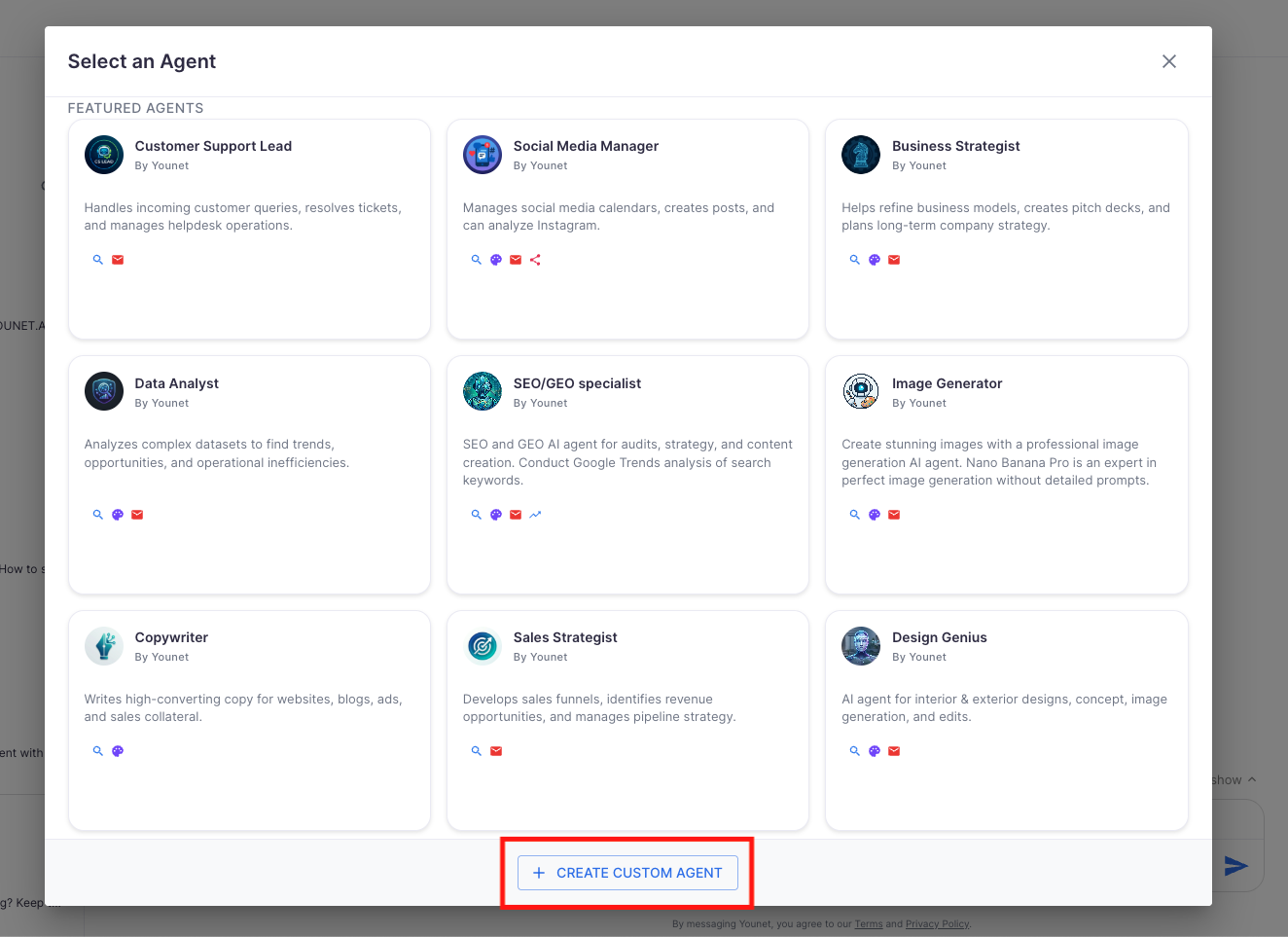
- Fill in the core details to give your agent its "personality" and boundaries:
- AI Agent Name: (e.g., "Max - E-commerce Manager")
- Role: What the AI will be doing.
- Purpose: The main goal of this agent.
- Rules and Limitations: Crucial guardrails so the agent knows exactly what it can and cannot do.
- Click "Create".
3: Train Your Agents to Know Your Business
An AI agent is only as good as the knowledge it possesses. Younet makes it easy to transfer your company's brain into your digital workers. You can upload files (PDFs, spreadsheets), use the website parser to ingest your URLs, or connect your email so the agent learns your exact tone of voice and historical context.
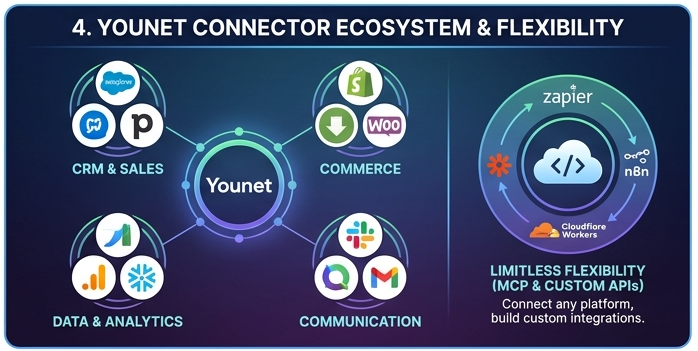
4: Supercharge Your Agents with Connectors (3,000+ Platforms)
This is where your AI transforms from a smart assistant into an autonomous worker. Through Younet’s Connectors, you can integrate your AI agents with over 3,000 external platforms. You simply assign a goal, and the agent uses its Connectors to interact with your favourite tools, complete the workflow, and notify you when the job is done.
Popular Connectors Available on Younet
Younet supports a massive library of 3,000+ direct platform integrations across every business category, plus over 8,000 platforms via MCP servers like Zapier and N8N.
Here are some of the most popular direct connection platforms you can connect your agents to today directly via the Younet platform (without an MCP needed):
| Category | Popular Platforms Supported |
|---|---|
| CRM & Sales | Salesforce, Pipedrive, Zoho CRM, Zendesk Sell, Close, Agile CRM, ... |
| Commerce & Retail | Shopify, WooCommerce, BigCommerce, Amazon (SP-API), eBay, ... |
| Accounting & Billing | QuickBooks, Xero Accounting, Stripe, Chargebee, Zoho Books, ... |
| Communication | Gmail, Bot for Slack, Discord, Telegram, Aircall, Brevo, ... |
| Data & Analytics | Google Analytics, Mixpanel, Power BI, Snowflake, Databricks, ... |
| Databases | PostgreSQL, MongoDB, MySQL, Supabase, Azure Cosmos DB, ... |
| Developer Tools | GitHub, GitLab, Bitbucket, Datadog, Sentry, ... |
Limitless Possibilities: MCP and Custom APIs
If a platform you use isn't natively listed, Younet provides ultimate flexibility through the Model Context Protocol (MCP) and Custom APIs:
- Zapier MCP (No-Code): Generate an endpoint via Zapier to instantly connect your agent to thousands of apps. Zapier handles the authentication, and your agent can trigger actions across your entire tech stack.
- n8n MCP (Low-Code): Import the "Build-your-own MCP Server" template in n8n, tag your production workflows with
mcp, and add the/sseURL to Younet. - Cloudflare Workers (Developers): Fork the official MCP Worker starter, deploy it, and connect it to Younet using a Bearer token for authentication.
- Custom API Connections: You can connect to any internet-reachable Remote SSE server. Just go to the UI, click "Add MCP Server," paste your endpoint, and provide your Bearer token or Custom Header. Younet will ping the server, list every tool it finds, and make them live for your agent!
5: Real-World Use Cases in Action
Here is how you can combine these popular Connectors and MCP capabilities to replace manual business processes:
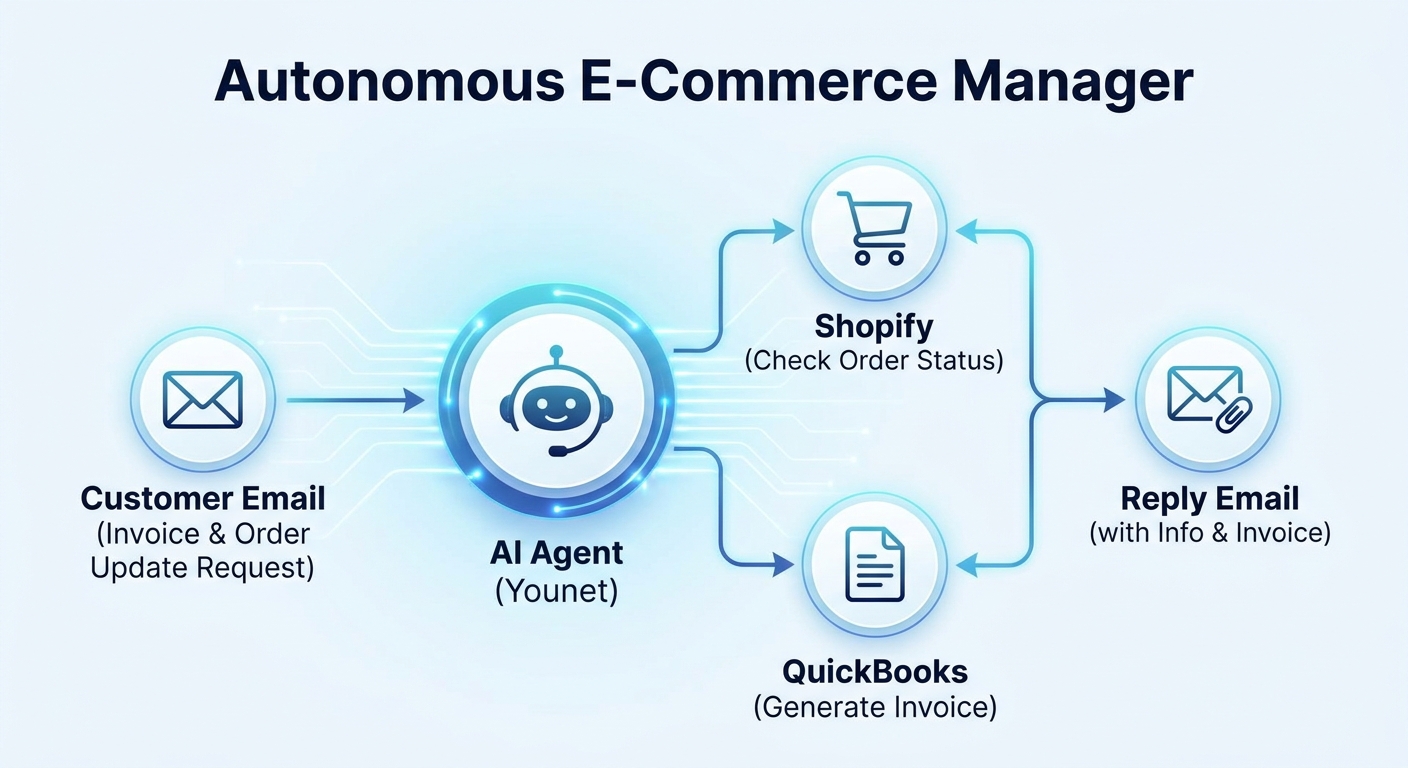
1. The Autonomous E-Commerce Manager
- The Goal: Automate post-purchase customer support and inventory tracking.
- Connectors Used: Shopify, QuickBooks, and Gmail.
- The Workflow: A customer emails asking for an invoice and order update. The agent reads the email via Gmail, queries Shopify to check the real-time shipping status, connects to QuickBooks to generate the PDF invoice, and replies to the customer with all the requested information attached.
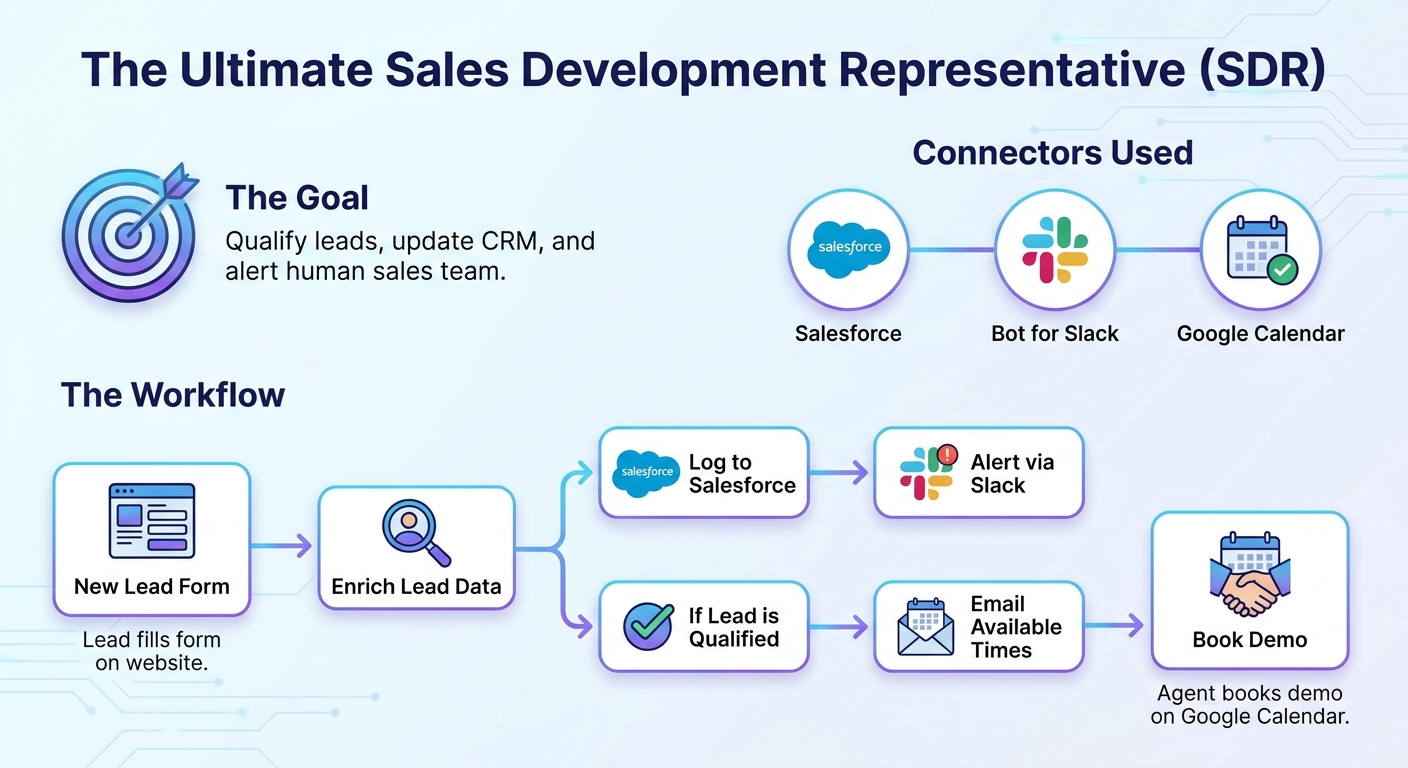
2. The Ultimate Sales Development Representative (SDR)
- The Goal: Qualify leads, update the CRM, and alert the human sales team.
- Connectors Used: Salesforce (or Pipedrive), Bot for Slack, and Google Calendar.
- The Workflow: A new lead fills out a form on your website. The agent instantly enriches the lead data, logs the new contact into Salesforce, and sends a direct message to your sales channel using the Bot for Slack. If the lead is highly qualified, the agent emails them available times from your Google Calendar to book a demo.
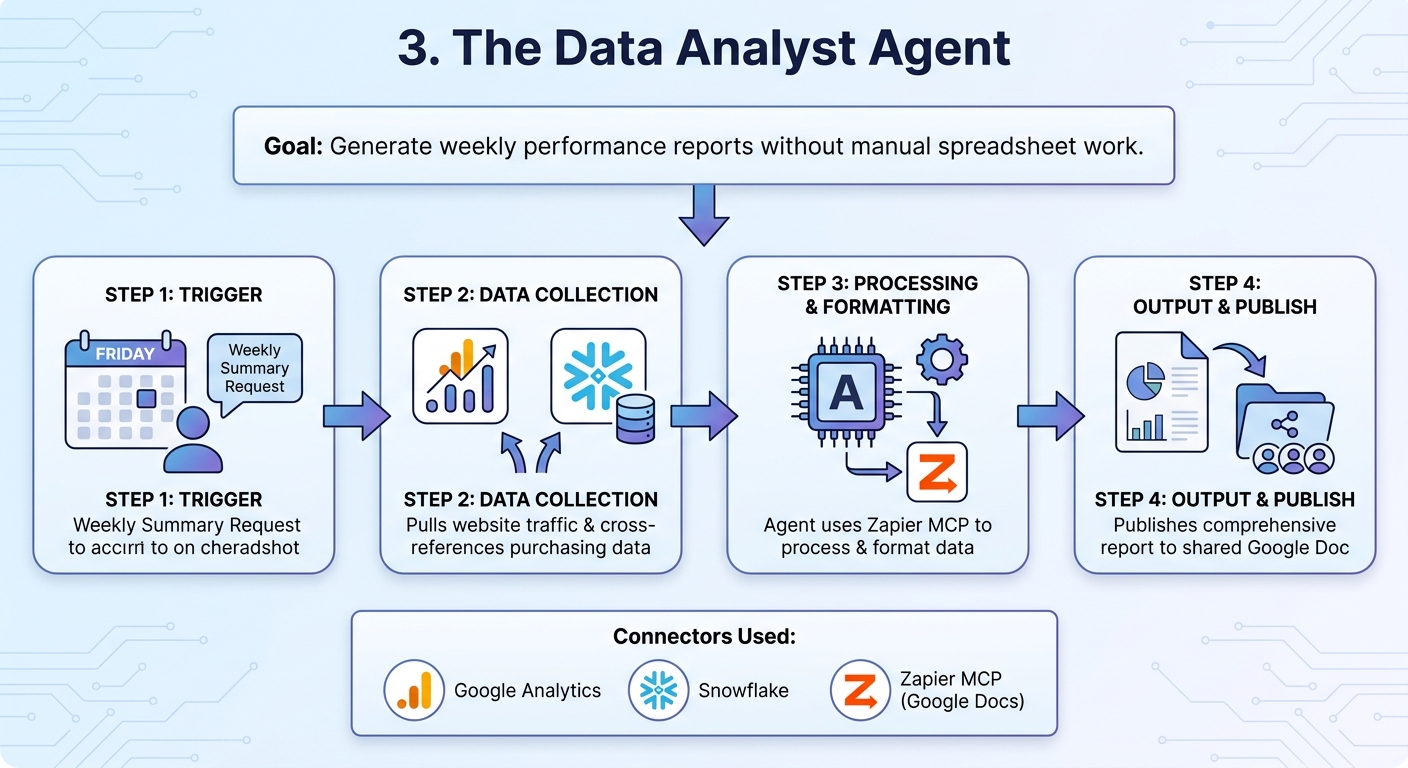
3. The Data Analyst Agent
- The Goal: Generate weekly performance reports without manual spreadsheet work.
- Connectors Used: Google Analytics, Snowflake, and Zapier MCP (connected to Google Docs).
- The Workflow: Every Friday, you ask your Data Agent for a weekly summary. The agent pulls website traffic data from Google Analytics, cross-references it with user purchasing data stored in your Snowflake database, and uses Zapier MCP to format and publish a beautiful, comprehensive report into a shared Google Doc for the executive team.
Ready to Build Your Agentic Team?
The future of work is intelligent, automated, and highly personalized. Startups are using AI agents to compete with massive corporations, and established businesses are using them to reclaim thousands of hours of lost productivity.
Don't wait to figure out AI later. Start building your autonomous workforce today at www.younet.ai.